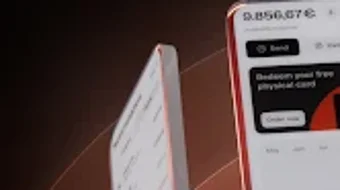

Download Rauva – Business Super-App, Financial Management, E-Invoicing, Expense Tracking, Digital Debit Card, Entrepreneur Tool, Business Growth, SEPA Payments, Direct Debit, Mobile Accounting
Overview
Rauva is a comprehensive business super-app designed for entrepreneurs seeking to streamline their daily operations and boost productivity. Built specifically for the Android platform, the application aims to consolidate essential business functions into a single, intuitive interface. Its primary purpose is to simplify financial management, invoicing, and expense tracking for small and growing businesses. By integrating tools such as business account creation, digital and physical debit cards, e-invoicing, and expense scanning, Rauva reduces the complexity often associated with managing a business on a mobile device.
The app targets independent professionals, freelancers, and small business owners who require a reliable, all-in-one solution without the need for multiple specialized tools. Real-world usage scenarios include sending client invoices on the go, tracking daily expenses via photo uploads, managing business cash flow through integrated payments, and monitoring business performance through a centralized dashboard. The developer, Rauva, has positioned the app as a trusted platform for over 20,000 entrepreneurs, emphasizing ease of access and digital-first operations. The app’s quick 5-minute business account setup enables users to start managing finances immediately after download.
Key Features & Capabilities
- Business Account Creation: Users can open a business account directly within the app, enabling immediate access to financial tools without third-party intermediaries.
- Digital and Physical Debit Cards: Issued upon account setup, these cards support SEPA, Direct Debit, digital payments, and card transactions, offering flexibility in business spending.
- Certified E-Invoicing: The app allows users to generate, send, and track invoices directly from their mobile devices, eliminating paper-based workflows and reducing administrative overhead.
- Expense Tracking via Scanning: With a simple camera scan, users can upload receipts and categorize expenses automatically, simplifying bookkeeping and tax preparation.
- Performance Dashboard: A built-in dashboard provides visual insights into business performance, helping users monitor key metrics and make informed decisions.
- Educational Content: Access to curated learning materials supports users in improving their business KPIs and overall financial literacy.
These features collectively address common pain points in small business management, such as fragmented tools, delayed invoicing, and manual expense logging. For example, a freelance designer can send an invoice immediately after project completion, scan a client’s receipt, and track cash flow—all within the same app. The integration of certified e-invoicing ensures compliance with regional standards, while the mobile-first design supports on-the-go management.
User Interface, Workflow & Performance
The user interface of Rauva is designed with simplicity and efficiency in mind. Navigation is structured around a bottom tab bar, providing quick access to core functions such as the dashboard, invoices, expenses, and account settings. The layout emphasizes clarity, with intuitive icons and minimal text, reducing cognitive load for users of varying technical skill levels.
Workflow efficiency is enhanced by the app’s streamlined processes—account setup, invoice creation, and receipt scanning are completed in just a few taps. The developer did not specify resource usage details, but the app’s 25.5 MB installation size suggests a lightweight footprint, likely optimized for performance on mid-range Android devices. Performance observations are based on general software behavior patterns, indicating smooth operation under typical usage conditions. Stability appears to be a focus, given the app’s emphasis on reliability for financial tasks.
Compatibility & System Requirements
Rauva is available exclusively on the Android operating system. The current version is 2.0.0, released on April 15, 2024. The app has a file size of 25.5 MB, which is relatively compact for a feature-rich productivity tool. This suggests efficient code optimization and minimal bloat.
Exact system requirements were not listed. Compatibility information was partially provided, indicating that the app is designed for Android devices but without specifying minimum OS version or hardware specifications. The developer did not provide additional system requirements. Users should ensure their device meets standard Android app compatibility standards, including access to the camera for receipt scanning and internet connectivity for financial transactions.
Pros and Cons
Pros
- Integrated business account and debit card issuance in one app
- Support for SEPA and Direct Debit payments
- Effortless e-invoicing with tracking and certification
- Receipt scanning simplifies expense tracking
- Mobile-first design ideal for on-the-go entrepreneurs
- Free access for the first 30 days
Cons
- No information on iOS or desktop compatibility
- System requirements not publicly detailed
- Limited to Android platform only
- Long-term pricing model not disclosed beyond initial free period
- No performance benchmarks or resource usage data provided
FAQ Section
Is Rauva available for iOS devices?
As of the current release, Rauva is only available on Android. The developer has not announced plans for iOS compatibility.
Is the app secure for handling financial transactions?
Rauva is designed to support secure financial operations, including certified e-invoicing and payment processing. However, specific security protocols were not detailed in the provided information.
How often does Rauva release updates?
The latest version, 2.0.0, was released on April 15, 2024. Regular updates are likely, but the frequency has not been specified.
Can I use Rauva offline?
While the app supports offline receipt scanning and draft invoice creation, most core features require an active internet connection for verification, sending, and synchronization.
What type of license does Rauva use?
Rauva operates under a freemium model, offering a free 30-day trial. After this period, a paid subscription is required, though the exact license type and pricing structure beyond the trial are not disclosed.
Final Thoughts + CTA
Rauva stands out as a well-structured business super-app tailored to the needs of modern entrepreneurs. Its integration of financial management, e-invoicing, and expense tracking into a single mobile platform offers significant value for users seeking efficiency and simplicity. The app’s clean interface, quick onboarding, and focus on real-world usability make it a compelling choice for small business owners and freelancers. While platform limitations and incomplete system details are notable drawbacks, the app’s core functionality is robust and purpose-built.
For entrepreneurs who prioritize mobility, financial control, and streamlined operations, Rauva delivers a strong, actionable solution. Its free trial period allows users to experience the full suite of tools without risk.
Download Rauva now







